Have you noticed something strange lately?
A few years ago, an 8GB graphics card was enough for almost every game.
Today, some new titles recommend 12GB, 16GB, or even more if you want to play at higher settings.
Suddenly, gamers are seeing messages like:
“Video Memory Exceeded.”
or
“Low VRAM Warning.”
It makes you wonder… Did games suddenly become badly optimised? Or are they simply doing far more than they used to? Let’s find out.
🎮 Your GPU Isn’t Just Drawing Pixels
Many people think VRAM simply stores the image you see on your monitor.
It actually does much more than that.
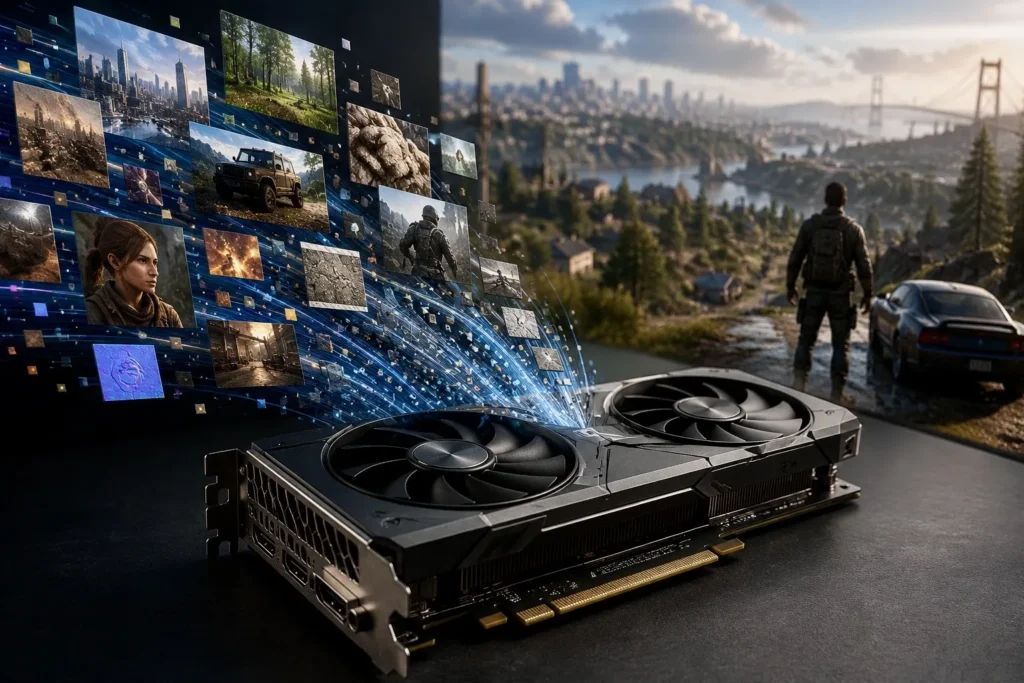
Your graphics card constantly fills its VRAM with things like:
- 🏙️ Building textures
- 🌳 Trees and landscapes
- 🚗 Vehicles
- 👤 Character models
- 🌤️ Shadows
- 💡 Lighting information
- ✨ Special effects
Think of VRAM as the GPU’s workspace.
The bigger the world becomes, the bigger that workspace needs to be.
🖼️ That “Ultra Textures” Setting Is Probably Eating Your VRAM
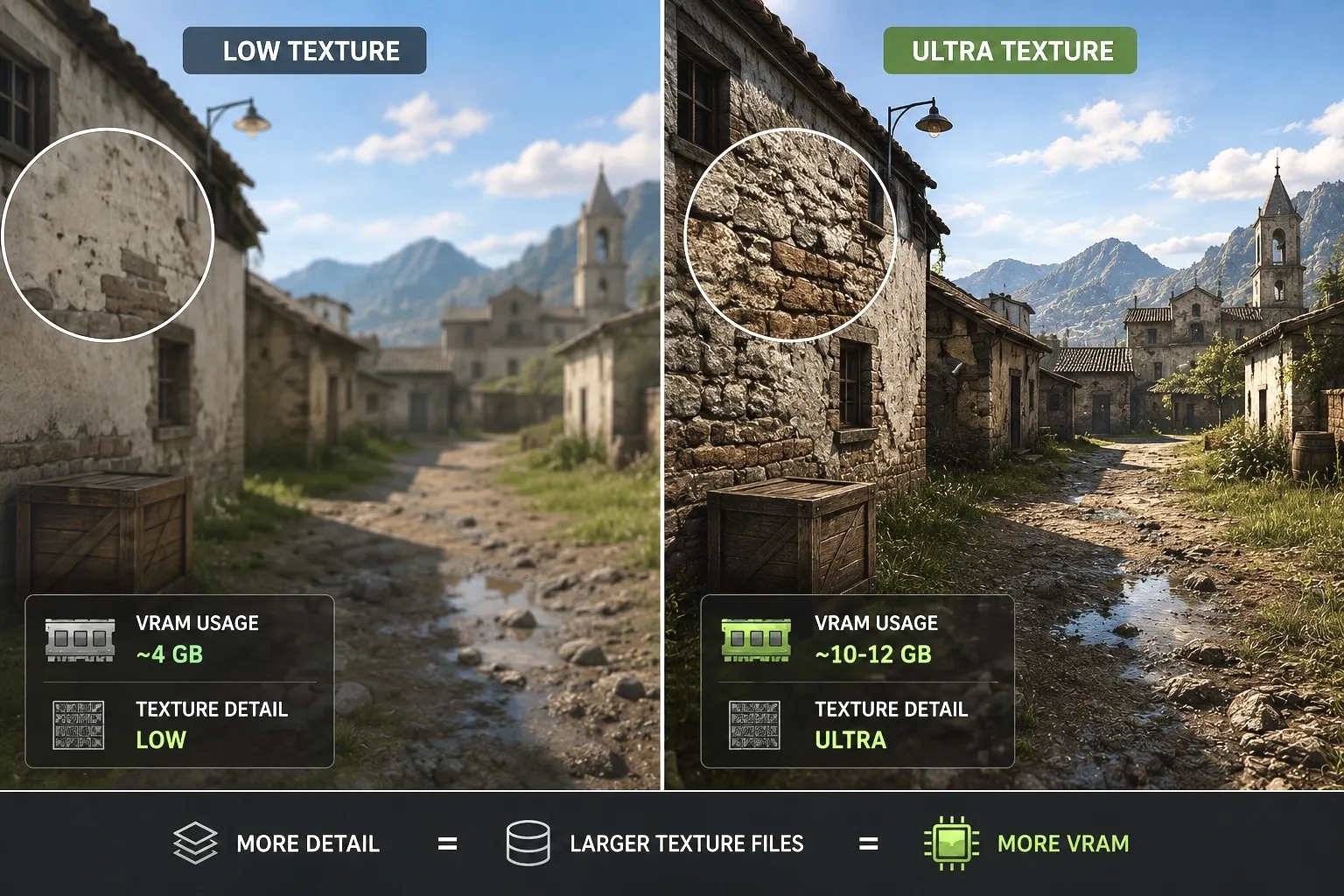
If one graphics setting loves VRAM, it’s Texture Quality.
Imagine the same wall inside a game.
Looks slightly blurry
Every crack, scratch and tiny detail is visible.
That extra detail comes from much larger image files.
| Texture Setting | VRAM Usage |
|---|---|
| Low | Low |
| Medium | Moderate |
| High | High |
| Ultra | Very High |
Here’s the surprising part.
In many games, switching from Ultra to High saves a lot of VRAM, but the visual difference is often difficult to notice while actually playing.
Texture quality is usually the first graphics setting to reduce if you’re running out of VRAM. It often gives the biggest memory savings with only a small drop in image quality.
🌍 Games Don’t Load One Level Anymore
Think about older games. You finished one level. The next level loaded.
Everything from the previous area disappeared.
Modern games work very differently.
Huge cities… Entire forests… Underground caves… Busy streets…
They all need to stay ready as you move around.
Instead of loading one small map, the GPU is constantly managing a massive world.
That requires much more VRAM.
✨ Pretty Reflections Come at a Price
Ray tracing has made games look incredibly realistic.
Reflections. Shadows. Global lighting. Sunlight bouncing through windows.
All of these effects require extra information to be stored and processed. More realistic lighting usually means more VRAM usage.
It isn’t the only reason games need more memory, but it definitely adds to the demand.
🖥️ One Setting Can Instantly Increase VRAM Usage
Resolution also plays a huge role.
Moving from 1080p to 1440p or 4K means your GPU has to work with far more pixels every single frame.
More pixels usually mean more memory.
| Resolution | Typical VRAM Recommendation |
|---|---|
| 1080p | 6-8GB |
| 1440p | 8-12GB |
| 4K | 12GB or more |
🤔 Are Game Developers Just Lazy?
This is one of the biggest debates in PC gaming.
The answer isn’t simply yes or no.
Some games are genuinely poorly optimised.
They use more VRAM than they should.
But many modern games are also trying to do things that older games never attempted.
Think about today’s games.
- Massive open worlds
- Photorealistic textures
- Advanced physics
- Better character models
- Ray tracing
- Larger maps
- More objects on screen
All of that has to live somewhere. VRAM is where much of that data waits for the GPU.
⚠️ Myth vs Reality
| Myth | Reality |
|---|---|
| More VRAM always means a faster GPU. | VRAM only helps if your games actually need it. |
| 8GB VRAM is useless today. | It’s still enough for many games at 1080p. |
| Lowering textures ruins graphics. | Many players barely notice the difference between High and Ultra. |
Ultra graphics settings are often built for tomorrow’s graphics cards. Choosing High instead of Ultra usually gives a much better balance between image quality and VRAM usage.
🎯 So, Do You Really Need More VRAM?
It depends on how you play.
| If You… | Recommended VRAM |
|---|---|
| Play esports games at 1080p | 6-8GB |
| Play modern AAA games at 1080p | 8GB or more |
| Game at 1440p | 10-12GB |
| Play at 4k with high settings | 12-16GB+ |
Buying more VRAM only makes sense if your games actually need it.
Otherwise, you’re paying for memory that may never get fully used.
🛒 Before You Upgrade ⭐
Modern games haven’t suddenly become greedy for VRAM. They’re simply much bigger, more detailed and more ambitious than games from just a few years ago. Higher-resolution textures, larger open worlds, ray tracing and advanced graphics all require extra memory to run smoothly.
Before rushing to buy a new graphics card, take a look at your own gaming habits. If you mainly play esports titles or games at 1080p, your current GPU may still be more than enough. But if you’re aiming for 1440p, 4K or the highest texture settings, extra VRAM can make a noticeable difference.