
You can upgrade your PC’s RAM. You can swap your SSD. You can even replace your CPU in many desktop computers.
So why can’t you simply add more VRAM to your graphics card? It sounds like an easy upgrade.
If your GPU has 8GB VRAM, why not install another 8GB chip and make it 16GB Unfortunately, that’s not how graphics cards work. Let’s see why.
🤔 First, What Is VRAM?
VRAM stands for Video Random Access Memory. It is the memory used only by the graphics card.
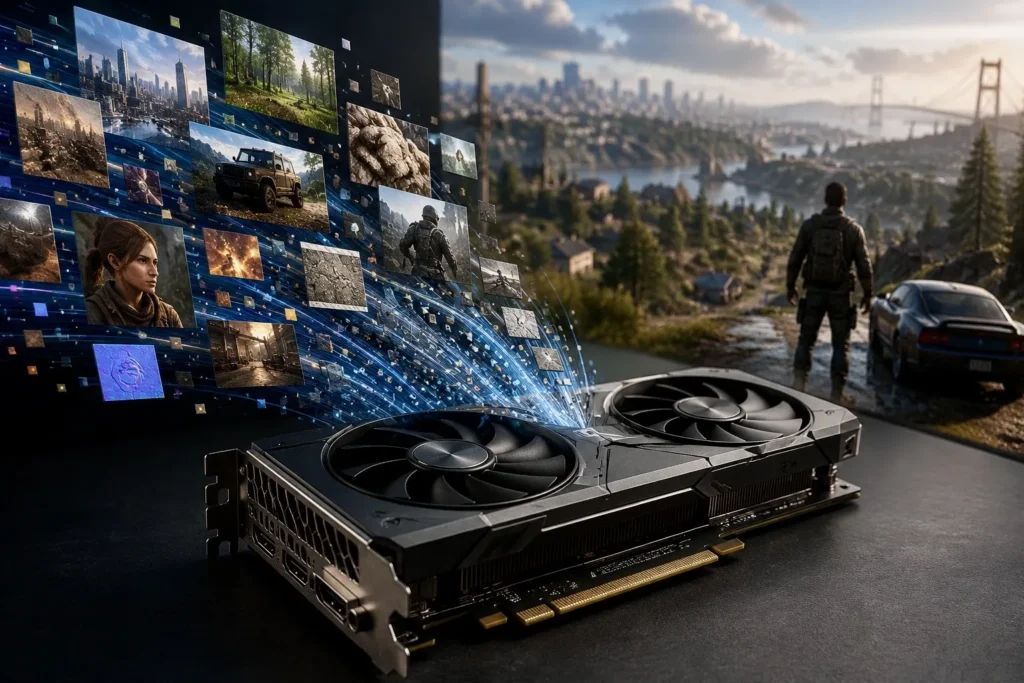
Whenever you play a game, edit a video or create a 3D model, the GPU stores things like:
- 🎮 Game textures
- 🏙️ 3D models
- 🖼️ Images
- 🎥 Video frames
- 💡 Lighting and shadow data
Think of VRAM as the GPU’s personal workspace. The more complex the scene, the more VRAM it needs.
🧩 RAM vs VRAM
Many people confuse system RAM with VRAM.
| Feature | System RAM | VRAM |
|---|---|---|
| Used by | CPU | GPU |
| Upgradeable | Usually Yes | No |
| Installed in | RAM Slots | Soldered onto the graphics card |
| Main job | Runs Windows and Apps | Stores graphics data |
This one difference changes everything.
🔩 VRAM Isn’t Plugged In. It’s Soldered.
Open your PC and you’ll see RAM sticks sitting neatly in their slots.
Now look at a graphics card.
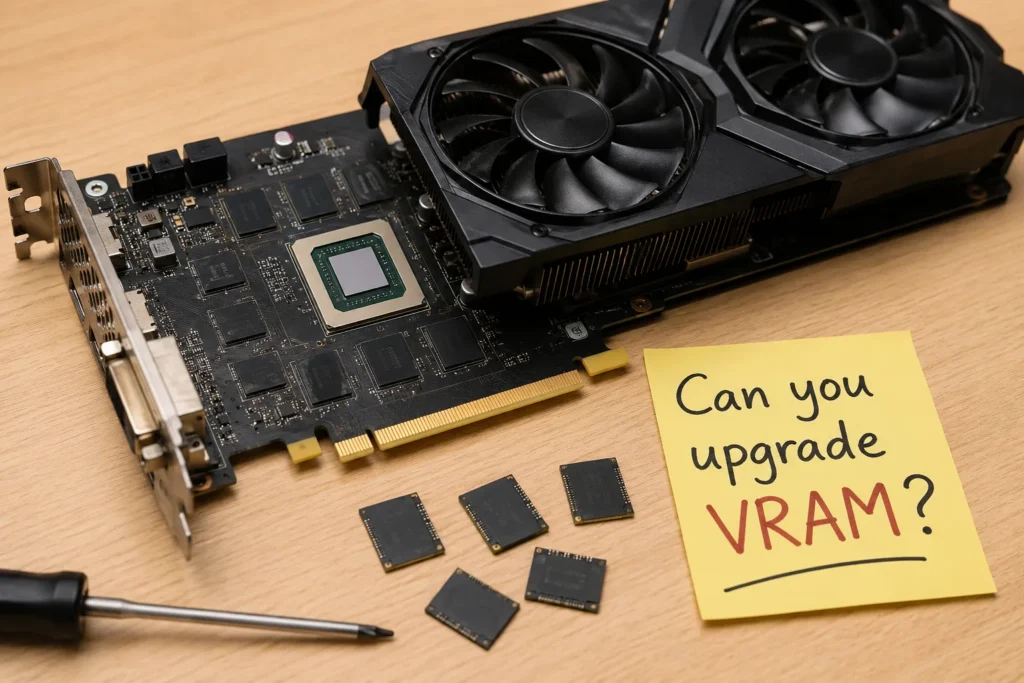
Around the GPU chip are several small black chips. Those are the VRAM chips.
They are permanently soldered to the graphics card.
There are:
❌ No memory slots
❌ No empty connectors
❌ No place to insert another VRAM chip
The card is built with a fixed amount of memory from the factory.
🧠 The GPU Is Built for That Exact Amount of VRAM
Here’s where things get interesting.
The GPU isn’t just connected to memory. It is designed around a specific memory layout.
That includes:
- 🛣️ Memory lanes on the PCB
- ⚡ Power delivery
- 🧮 Memory controller inside the GPU
- 💾 Firmware and BIOS
- ⏱️ Memory timings
Everything is tuned for the number of memory chips already on the card.
Adding more isn’t like adding another RAM stick.
It’s more like trying to add another engine to a car after it’s already built.
💭 “Can’t I Just Solder More Memory?”
This is the first idea many people have.
In theory? Maybe.
In reality? Almost never.
Even if you somehow soldered extra VRAM chips perfectly, the graphics card would still have several problems.
- ❌ The GPU may not support extra memory.
- ❌ The PCB may not have the required connections.
- ❌ The firmware won’t know the new chips exist.
- ❌ Memory timings could become unstable.
- ❌ The power system wasn’t designed for them.
So simply attaching new chips doesn’t magically give you more VRAM.
If upgrading VRAM were as simple as soldering extra chips, graphics card companies would sell upgrade kits instead of separate 8GB, 12GB and 16GB models.
🏭 Then Why Don’t Companies Make VRAM Upgradeable?
Good question. The answer is speed.
Modern VRAM runs incredibly fast. Tiny electrical signals travel between the GPU and memory billions of times every second.
Using removable memory modules would make those signals less reliable.
By soldering the memory directly onto the graphics card, manufacturers get:
- 🚀 Better performance
- ⚡ Faster communication
- 🌡️ Better cooling
- 📏 Smaller graphics cards
- 🔒 Higher reliability
The downside is that you can’t upgrade it later.
🛠️ But I’ve Seen Videos of People Upgrading VRAM
Yes. A few hardware experts have successfully upgraded VRAM on certain graphics cards.
But they use:
- Professional soldering equipment
- Special replacement memory chips
- Modified firmware
- Deep knowledge of electronics
- Lots of patience
Even then, it only works on some models. For normal users, this isn’t a practical upgrade.
📈 What Happens If You Don’t Have Enough VRAM?
When a game needs more VRAM than your graphics card has, it starts using your computer’s system RAM instead.
System RAM is much slower for graphics work.
That can lead to:
- 🎮 Lower FPS
- ⏳ Longer loading times
- 🖼️ Texture pop-in
- 📉 Stuttering
- 🐢 Overall slower performance
Having more VRAM doesn’t automatically make a GPU faster, but having too little can definitely hold it back.
✅ So What’s the Real Solution?
If you regularly run out of VRAM, there are only two practical options.
- Lower graphics settings or texture quality.
- Upgrade to a graphics card with more VRAM.
Unfortunately, there’s no simple hardware upgrade that can turn an 8GB graphics card into a 16GB one.
My Thought
It feels strange that you can upgrade almost every major part of a desktop PC except the graphics card’s memory.
But VRAM isn’t a separate upgrade component. It’s a permanent part of the GPU’s design. The memory chips, circuit board, firmware and GPU are all engineered to work together from the moment the card is built.
So if you’ve ever wondered why you can’t just add more VRAM, now you know the truth. It’s not because companies forgot to include a slot. It’s because modern graphics cards simply aren’t designed that way.

I’m not that much of a internet reader to be honest but your blogs really nice, keep it up!
I’ll go ahead and bookmark your site to come back in the future.
All the best
This genuinely made my day. Thank you so much for taking the time to leave this comment and for bookmarking the site. Means a lot, especially when I’m still building Unpacked Daily from scratch.
Really appreciate it. Hope you find something useful here whenever you come back.❤️