Claude Models Limits: Stop This Costly Haiku Mistake
Switching to Haiku to save Claude usage might seem sensible. But when the task needs good writing, the model isn’t always the first thing you should change.
You are working on an article, answering emails, or putting together a few ideas. Then Claude tells you that you have reached your usage limit. You still have work to finish.
One common response is to switch to Haiku for the lighter tasks. It is fast, and the idea of saving your stronger model for difficult work makes sense. The problem starts when the writing comes back flat and you spend the next few prompts fixing it.
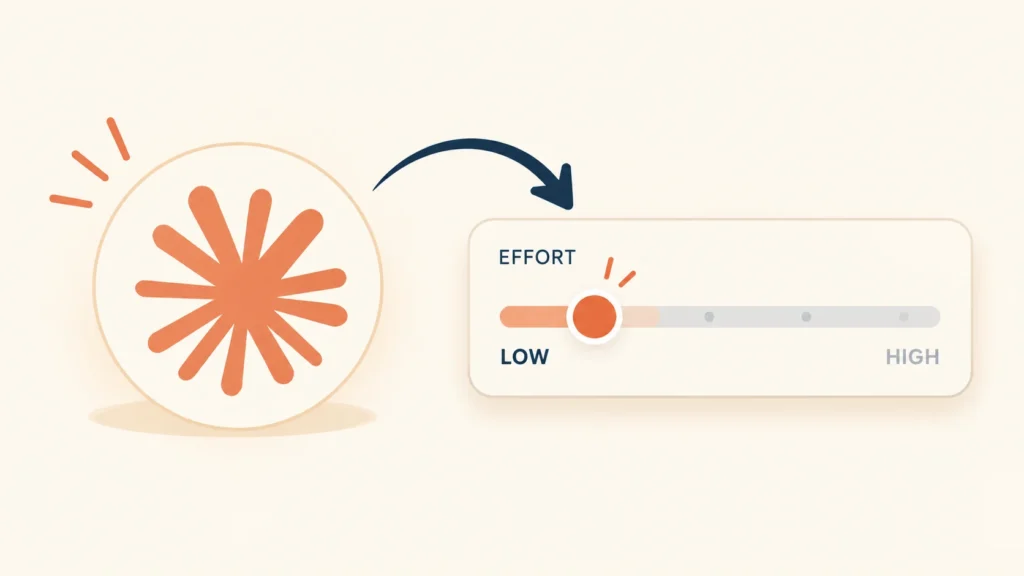
Before switching models, there is another setting worth checking: Effort. It lets you adjust how much work Claude puts into a response without automatically changing the model doing the work.

The model isn’t the same as Effort
Both settings matter, but they control different things.
Which model does the work?
Your model choice determines which Claude model handles the request. Different models have different strengths.
How much thinking does it need?
Effort controls how thoroughly the model works through a response. Higher settings can use more of your allowance.
Try changing Effort before changing models. A simple email may not need the same level of reasoning as a complicated research question.
Why switching to Haiku can backfire
Writing often looks easy because the finished result is short. A client email might be four lines. A caption might be one sentence. But length doesn’t tell you how much judgment the task needs.
A message to an annoyed client has to acknowledge the problem without sounding defensive. A blog introduction has to fit the argument that follows. A product description needs to explain what makes something useful without making claims it cannot support.
A model can produce correct sentences and still miss the tone. That is where a quick draft can become a frustrating one. You ask for a rewrite, then another, and end up spending time explaining what you wanted in the first place.
Grammatically correct, but too formal, too vague, or unlike the way you normally write.
More prompts, more edits, and more time spent getting the draft into a usable shape.
Haiku can still be a good choice for writing. The point is not to avoid it completely. Test it on your own work. If the tone is right and the draft needs little editing, there is no reason to switch away. If the result repeatedly misses the mark, try your preferred model with lower Effort instead.
Three settings worth knowing
These are actual screenshots from Claude. See where to choose a model and adjust how much effort it uses.
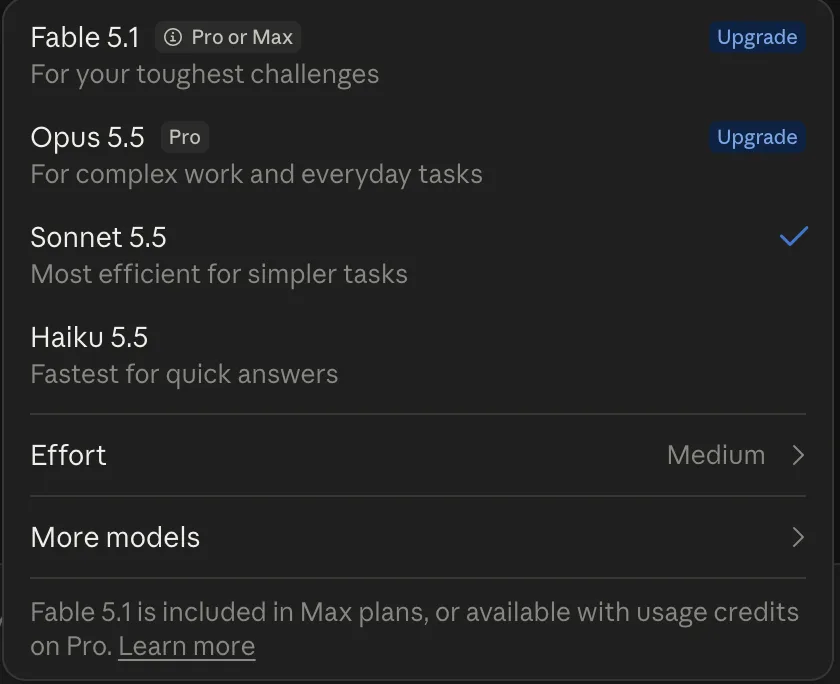
Choose your model
Select the model that fits the work you’re doing.
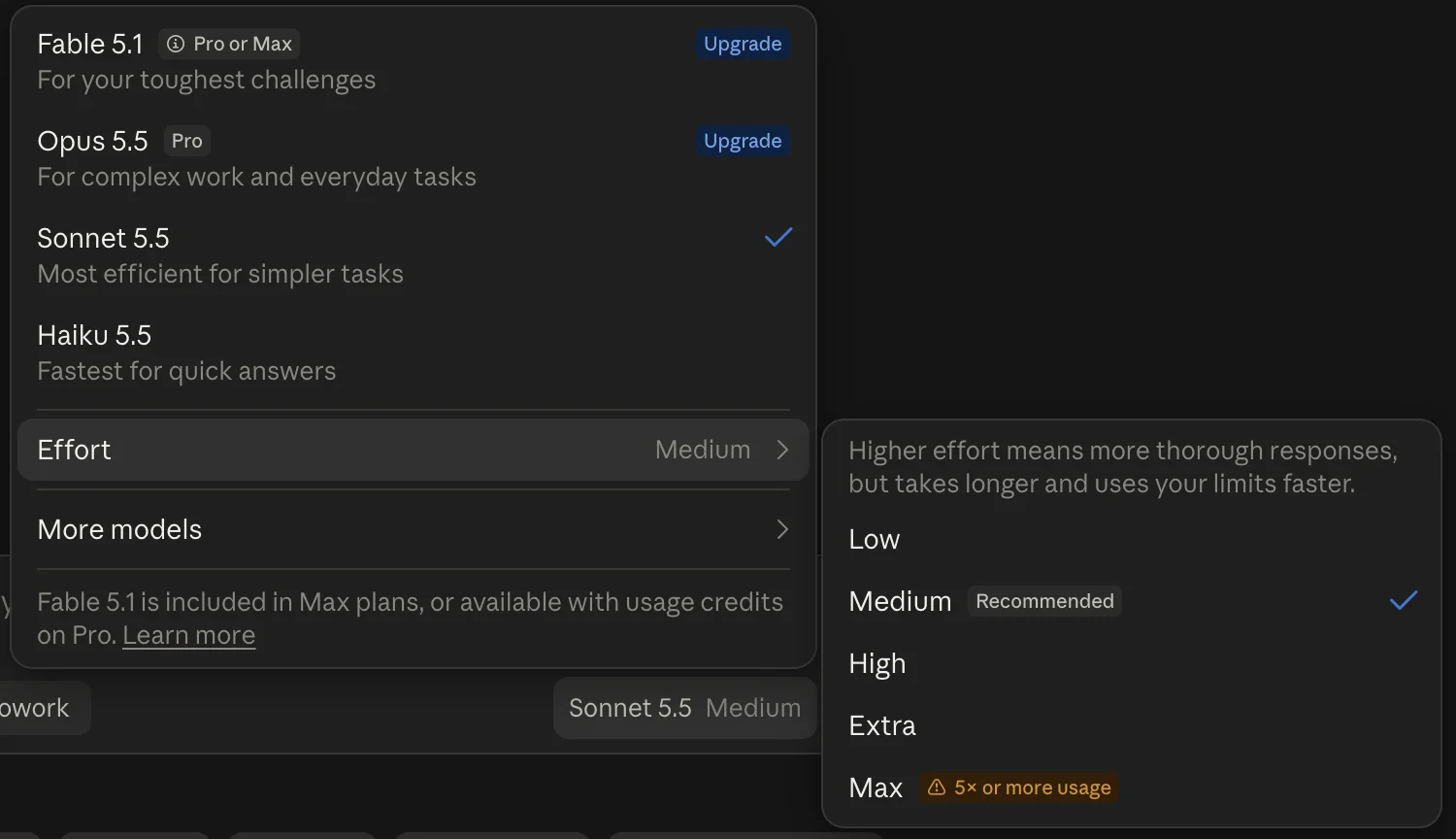
Adjust the effort
Use a setting that suits the complexity of the task.
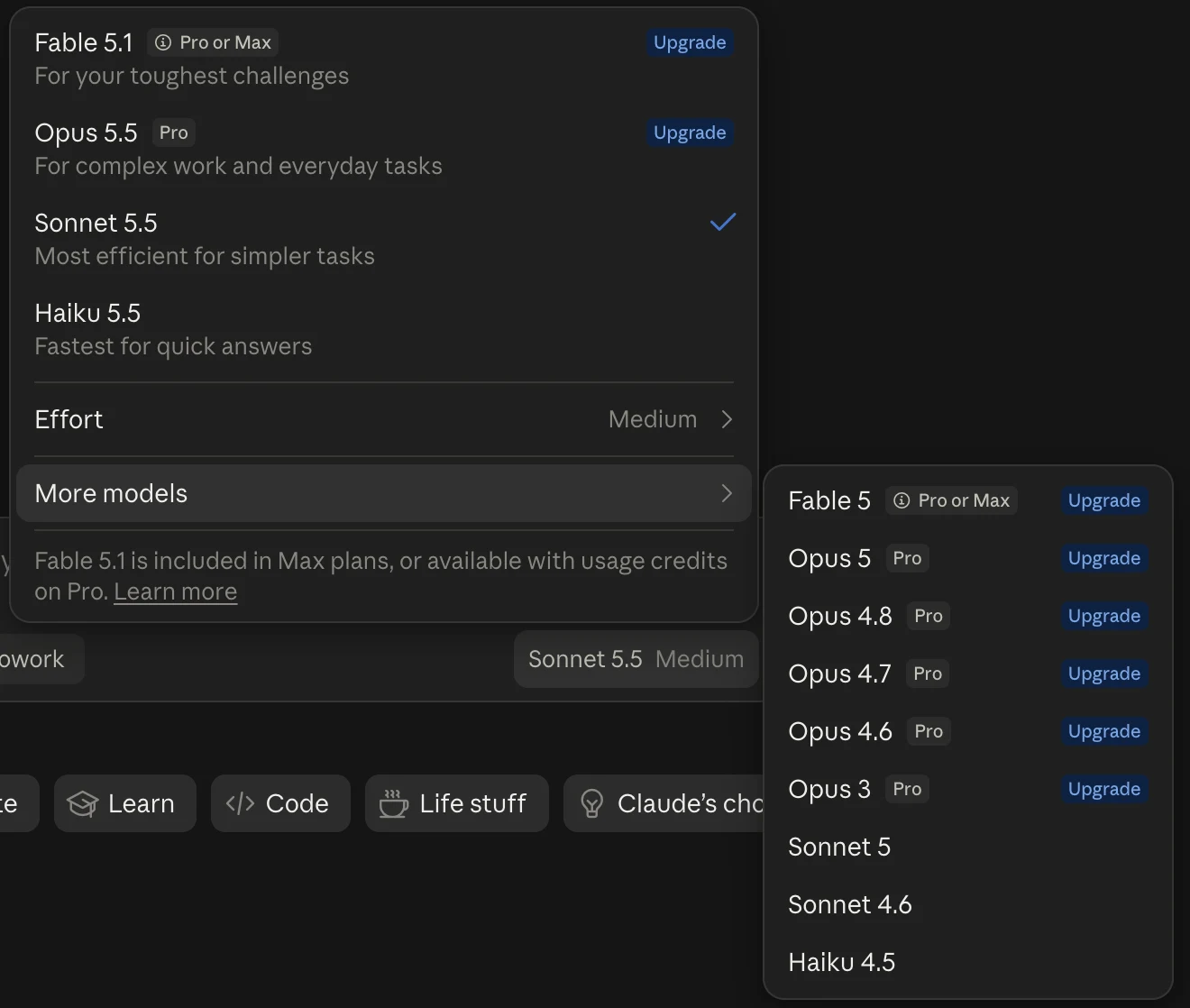
Explore the options
Check which models are available in your interface.
Which Claude model should you use?
The descriptions in Claude’s selector are a starting point. These are practical ways to decide where to begin.
Haiku
Useful for straightforward requests where speed matters and the result is easy to check.
TRY IT FOR- Formatting text
- Simple categorisation
- Extracting clear fields
Sonnet
A practical starting point for writing, brainstorming, explanations, planning, and general work.
TRY IT FOR- Emails and article drafts
- Rewriting and brainstorming
- Everyday problem-solving
Opus
Consider it when a task needs deeper analysis and several connected steps have to be handled carefully.
TRY IT FOR- Complicated research
- Detailed analysis
- Problems with several dependencies
Fable
Consider this option when your task needs the specialised capabilities offered by that model.
CONSIDER IT FOR- Large coding tasks
- Work suited to its capabilities
- Tasks beyond routine requests
Model availability and capabilities can depend on your Claude plan. Check the descriptions in your own model selector before choosing.
How much effort does the task need?
You don’t need to use the highest setting for everything. Start with the lowest setting that gives you a useful result and raise it when the task needs more thought.
Low
Short emails, captions, title ideas, simple rewrites, and rough outlines. Start here when the task is clear and you don’t need lengthy analysis.
Medium
Longer drafts, plans, summaries of dense material, and brainstorming that needs more than an obvious answer.
High
Use it when a problem has several connected parts, competing explanations, or details that need careful checking.
Extra
Consider it for difficult tasks where the additional reasoning is useful. Compare the result with a lower setting.
Max
Reserve it for work where extensive reasoning can make a meaningful difference. Claude’s interface warns that this setting may use five times or more usage.
These are starting points, not fixed rules. A short task can still be difficult, and a long task can be straightforward.
One workday, four different tasks
You don’t need one model and one setting for everything. Change them when the job changes.
Start with Sonnet and Low
Tell Claude who the message is for, what it needs to say, and how it should sound. If the request is clear, try Low before spending more effort.
Give the structure more thought
Try Sonnet with Medium for the first draft. A full article needs a clear argument and sections that fit together. Use Low later for a small edit or a list of headline options.
Try Haiku for straightforward extraction
If the task is to pull clearly labelled values out of a file and arrange them, Haiku may be enough. Check the output, especially when figures matter.
Use more effort when it helps
When a task depends on several connected steps, consider a more capable model and a higher Effort setting. Use them because the problem needs them, not out of habit.
Three habits that can waste your usage
Leaving Effort high after a difficult task
You may need higher Effort for one complicated question, then switch to simple editing. Check the setting when the task changes.
Giving vague instructions
Tell Claude who the audience is, what the response needs to achieve, and what tone to use. Specific instructions can reduce unnecessary rounds of correction.
Choosing by speed alone
A fast response is useful when it works. If you have to rewrite the whole thing, test another model or change Effort and compare how much editing each result needs.
Lower Effort does not guarantee the same quality for every task, and it does not promise a fixed reduction in usage. Test it on the work you do regularly rather than assuming every prompt will behave the same way.
Change Effort before changing models
When Claude usage gets tight, start by looking at the task. For a short email or a quick rewrite, try your usual model on Low Effort. For a longer draft, begin with Medium. Save higher settings for work that benefits from deeper reasoning.
Use Haiku when its speed and strengths fit the job. Use another model when the task calls for it. Then compare the output and the amount of editing it takes to make the answer useful.
Before switching models to save usage, try changing Effort first.