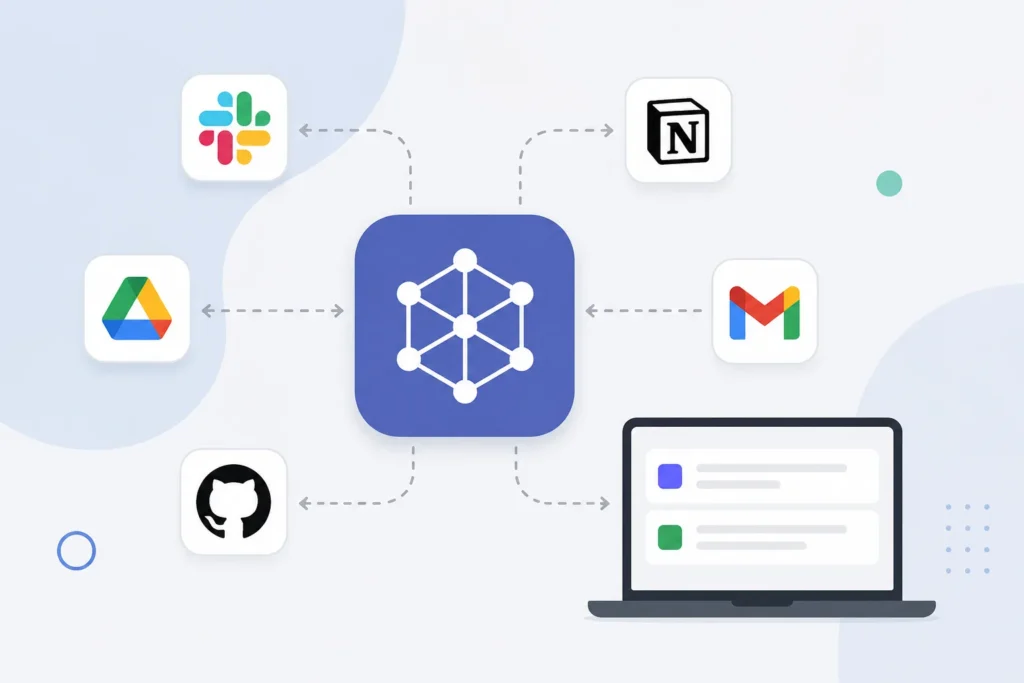
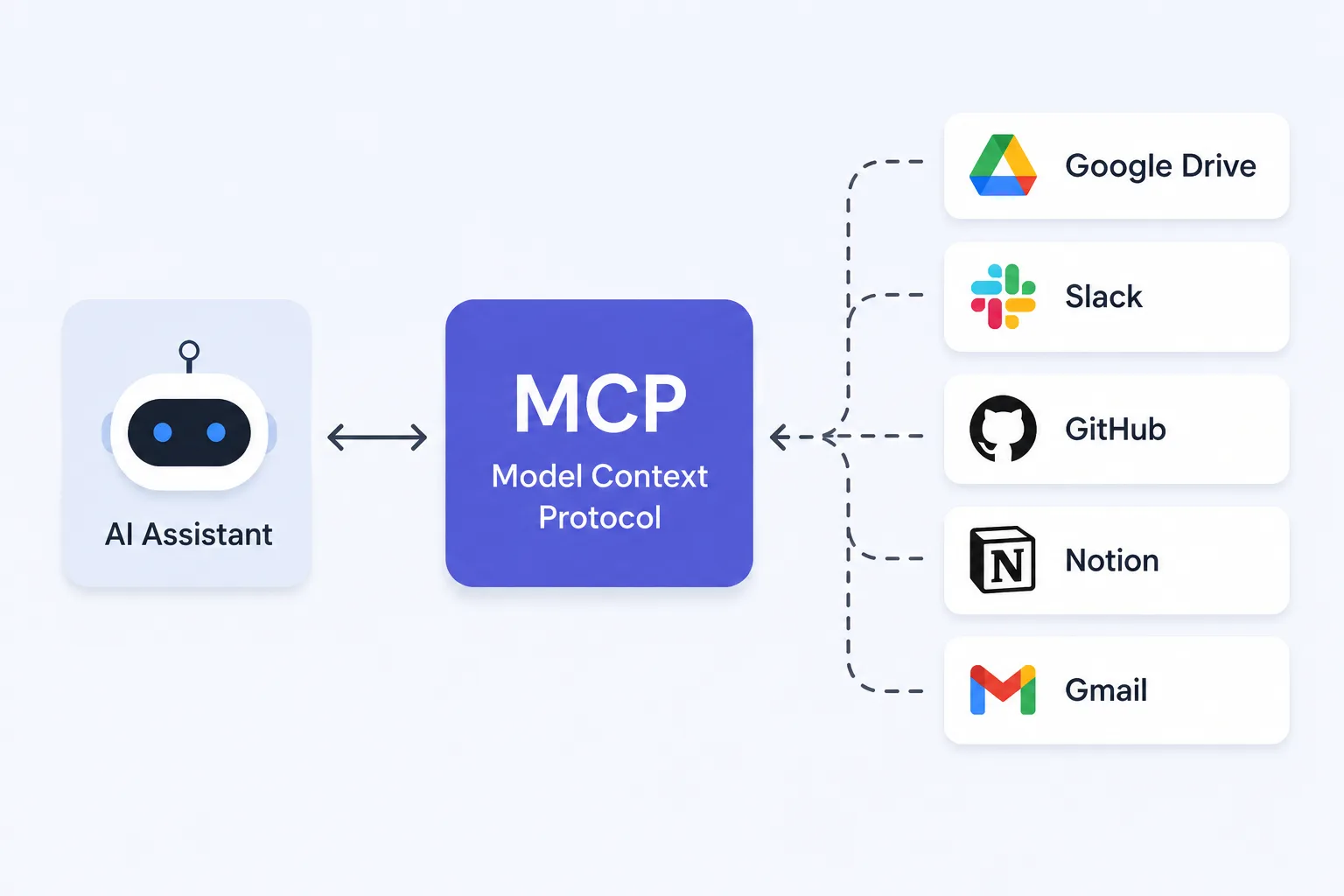
MCP (Model Context Protocol) is an open standard that helps AI assistants connect with apps, files, databases, and other tools in a common way. Instead of every app needing a different connection, MCP gives them one shared language to work with AI.
A few years ago, talking to an AI felt like talking to a really smart search engine. You asked a question, it gave an answer, and that was the end of the conversation.
Fast forward to today, and AI can write emails, build websites, analyse documents, create images, and even help you code. It feels incredibly powerful.
But there’s one thing it has always struggled with. Actually using your apps.
Think about it. You can ask an AI to plan your week, but it can’t magically check your calendar. It can help you write code, but it doesn’t automatically know what’s happening in your GitHub project. It can remind you to organise your files, but it can’t open Google Drive unless someone has built a special connection for it.
It sounds strange, doesn’t it?
Once you understand that question, everything about MCP suddenly starts making sense.
An AI smart enough to solve complex maths problems still needs separate instructions just to talk to another app.
That’s exactly why everyone in the AI world suddenly started talking about something called MCP. MCP isn’t another chatbot. It isn’t a new AI model. It isn’t trying to replace ChatGPT, Claude or Gemini.
Instead, it’s trying to solve one problem that has quietly limited AI since day one. And despite the boring name, it could quietly become one of the biggest changes in how AI works.
🤔 If AI Is So Smart… Why Can’t It Use My Apps?
Think about the last time you used ChatGPT.
It probably helped you write something, explain a topic, summarise a PDF or answer a question.
Now imagine asking it this instead.
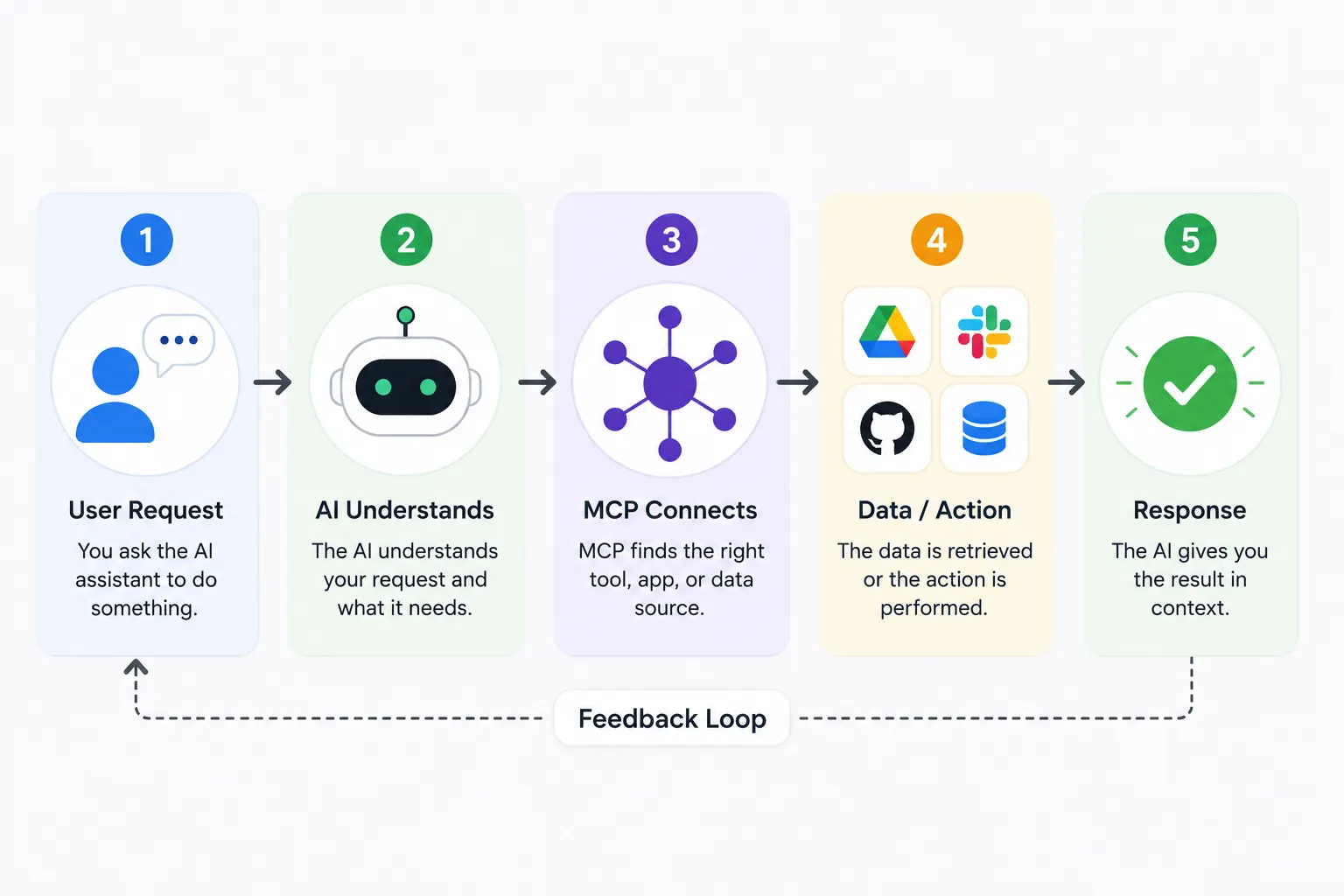
“Open my Google Drive, find the latest invoice, compare it with last month’s version, and email the differences to my manager.”
Sounds like something AI should already be able to do. But until recently, that wasn’t easy. Not because AI wasn’t smart enough. Because every app has its own way of talking.
Google Drive speaks one language. GitHub speaks another. Slack has its own system. Notion has another.
Multiply that by thousands of apps, and suddenly every AI company has a huge problem.
🧩 So… What Exactly Is MCP?
MCP stands for Model Context Protocol.
Forget the complicated name. Think of it like this.
Imagine you move to a country where every city speaks a different language. Ordering food becomes difficult. Taking a taxi becomes difficult. Even asking for directions becomes difficult.
Now imagine every city agrees to use one common language. Nothing else changes. The cities stay the same. The people stay the same. Communication simply becomes easier.
That’s exactly what MCP is trying to do for AI.
It gives AI assistants and apps one common way to communicate instead of everyone inventing their own system.
MCP doesn’t make AI smarter. It makes AI better connected. That’s a big difference.
Here’s a Real-Life Example
“Find the latest sales report in Google Drive, check yesterday’s meeting notes in Notion, look for open bugs on GitHub, and write a summary.”
Today, doing that isn’t as simple as it sounds. Every one of those apps has its own system.
Different permissions. Different APIs. Different ways of sharing information.
Without a shared standard, the AI needs separate instructions for every service.
With MCP, those conversations become much more consistent.
The AI doesn’t have to learn a completely different way to communicate with every app it meets.
📊 Before MCP vs After MCP
One standard doesn’t solve every problem. But it removes a lot of unnecessary work.
| Before MCP | After MCP |
|---|---|
| Every app needed a custom connection. | Apps can use one shared standard. |
| Developers repeated the same work. | Less duplicate development. |
| Supporting multiple AI assistants was harder. | One connection can work across many AI tools. |
| Adding new integrations took longer. | New tools become easier to connect. |
Why This Matters Even If You Never Write Code
You might be thinking,
“That’s great for developers… but why should I care?”
Because better connections lead to better AI experiences.
Imagine asking your AI:
“Plan my trip to Goa.”
Instead of only giving travel advice, it could:
- check your calendar for free dates
- look at your saved hotel options
- compare flight prices
- create a packing checklist
- save everything into your notes
Not because the AI suddenly became a genius. Because it finally knows how to work with the apps around it. That’s the real power of MCP.
“Wait… Doesn’t ChatGPT Already Connect To Apps?”💭
Yes. And this is where many people get confused. ChatGPT can already browse the web.
It can connect with GitHub. It can work with Google Drive.
Claude has its own integrations too.
Gemini has another system.
The problem isn’t that these connections don’t exist. The problem is that everyone has been building them differently.
MCP is an attempt to stop everyone from reinventing the wheel.
Could This Change AI Forever?
Maybe. Not because it’s a revolutionary AI model. But because it removes one of AI’s biggest limitations.
For years, AI has been incredibly good at thinking. Now it’s getting better at doing. That shift is much bigger than it sounds.
The future of AI probably isn’t one chatbot that knows everything. It’s an assistant that can safely work across the digital tools you already use every day. That’s exactly the future MCP is trying to build.
“Whether you’re using local AI or cloud AI, MCP aims to give both a common way to work with apps.”
Is It Safe?
Whenever people hear that AI can connect to apps, the first question is usually about privacy.
The good news is that MCP doesn’t automatically give AI access to your data.
Permissions still matter.
You’ll still decide what an AI can access, and trusted apps will continue using authentication, approvals, and security checks.
In other words, MCP changes how AI connects to software, not whether it gets unlimited access.
📱 So Why Should Normal Users Care?
Because better connections lead to better AI. Today you often move information yourself.
You download a file. Upload it somewhere else. Copy text. Paste it into another app.
Repeat. It works. But it also feels… unnecessary.
As more apps adopt MCP, AI assistants could spend less time asking you to move information around and more time actually helping you finish the task.
That’s a much bigger change than it sounds.
“If you’ve ever wondered what happens after you upload a file to AI, I’ve explained that in detail here.”
People often think MCP is a new AI model competing with ChatGPT or Claude. It isn’t. Think of it as the bridge that helps AI assistants work with other software.
🎯 My Take
Most technology standards never become household names.
You’ve probably never thought about the technology that makes websites load or emails arrive in your inbox.
Yet you use those standards every single day. MCP could end up following the same path. You may never open an app called “MCP.” You may never even remember what the letters stand for. But a few years from now, when your AI assistant can work across your favourite apps as naturally as you do, there’s a good chance MCP will be one of the reasons why.