AI is no longer limited to powerful cloud servers. Today, many devices can run AI directly on the hardware, making Local AI a growing alternative to Cloud AI. While Cloud AI offers access to larger and more capable models through the internet, Local AI focuses on privacy, speed, and offline performance by processing everything on your own device. Understanding the difference between these two approaches helps you choose the right AI for your needs and explains why modern phones, laptops, and apps are increasingly combining both.
Local AI and Cloud AI are changing how we use artificial intelligence. Not long ago, almost every AI tool worked the same way.
You typed a prompt, it was sent to a powerful server somewhere in the world, and a few seconds later you got a response.
Now things are changing.
Many new laptops, smartphones, and even desktop computers can run AI directly on the device. Companies like Apple, Microsoft, Google, Qualcomm, AMD, Intel, and NVIDIA are all pushing on-device AI or local AI as the future.
So what does that actually mean? And how is it different from cloud AI?
Let’s unpack it.
What Is Cloud AI?
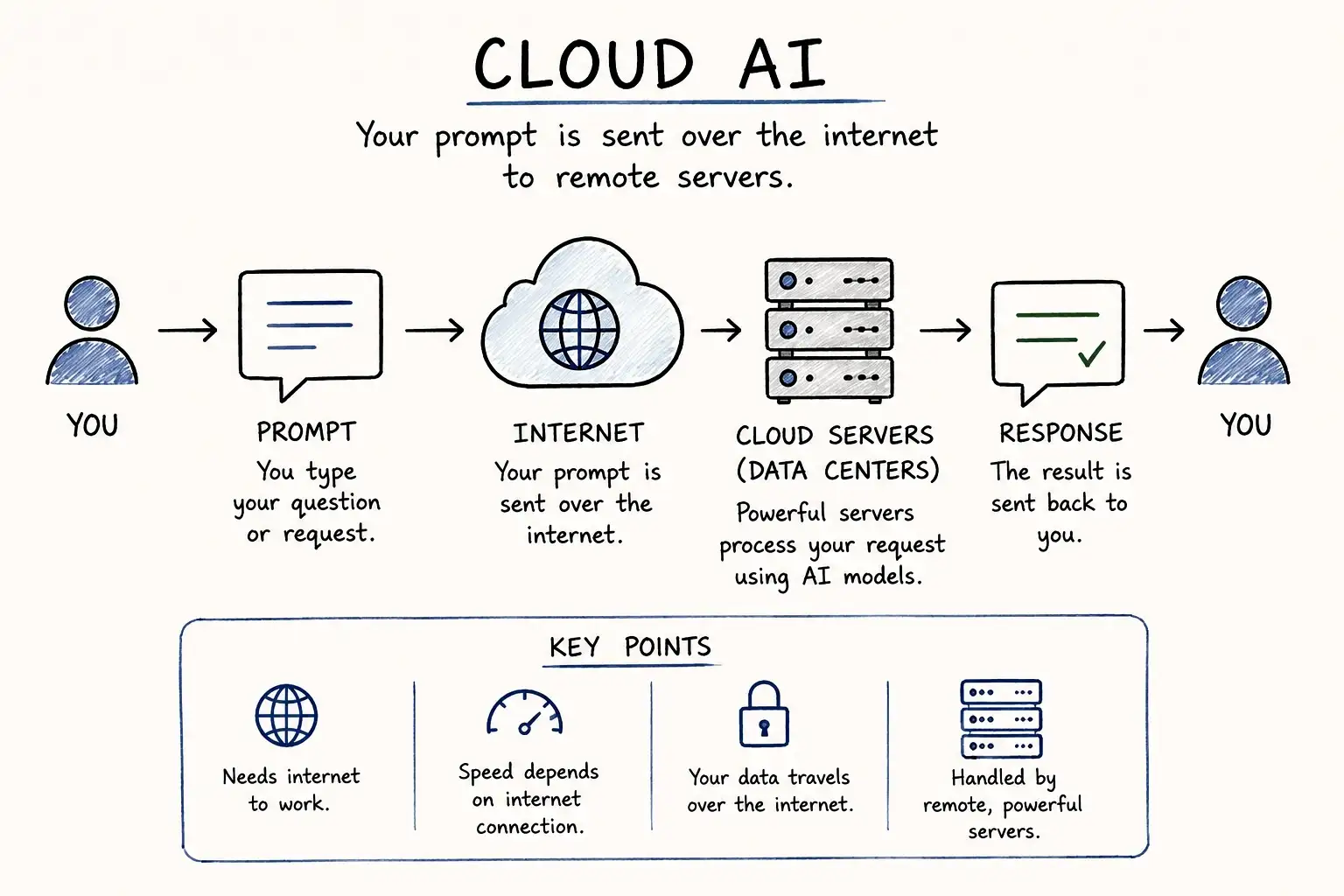
Cloud AI is the type of AI most people use every day.
When you ask a chatbot a question or generate an image, your request is sent over the internet to powerful computers called data centres. These servers process everything and send the answer back to your device.
Your phone or laptop is mainly acting as a window to access that AI.
This approach allows companies to run very large AI models that would never fit on a normal computer.
Examples of Cloud AI
- ChatGPT
- Google Gemini
- Claude
- Midjourney
- Most AI image and video generators
As long as you have an internet connection, you can use them from almost any device.
What Is Local AI?
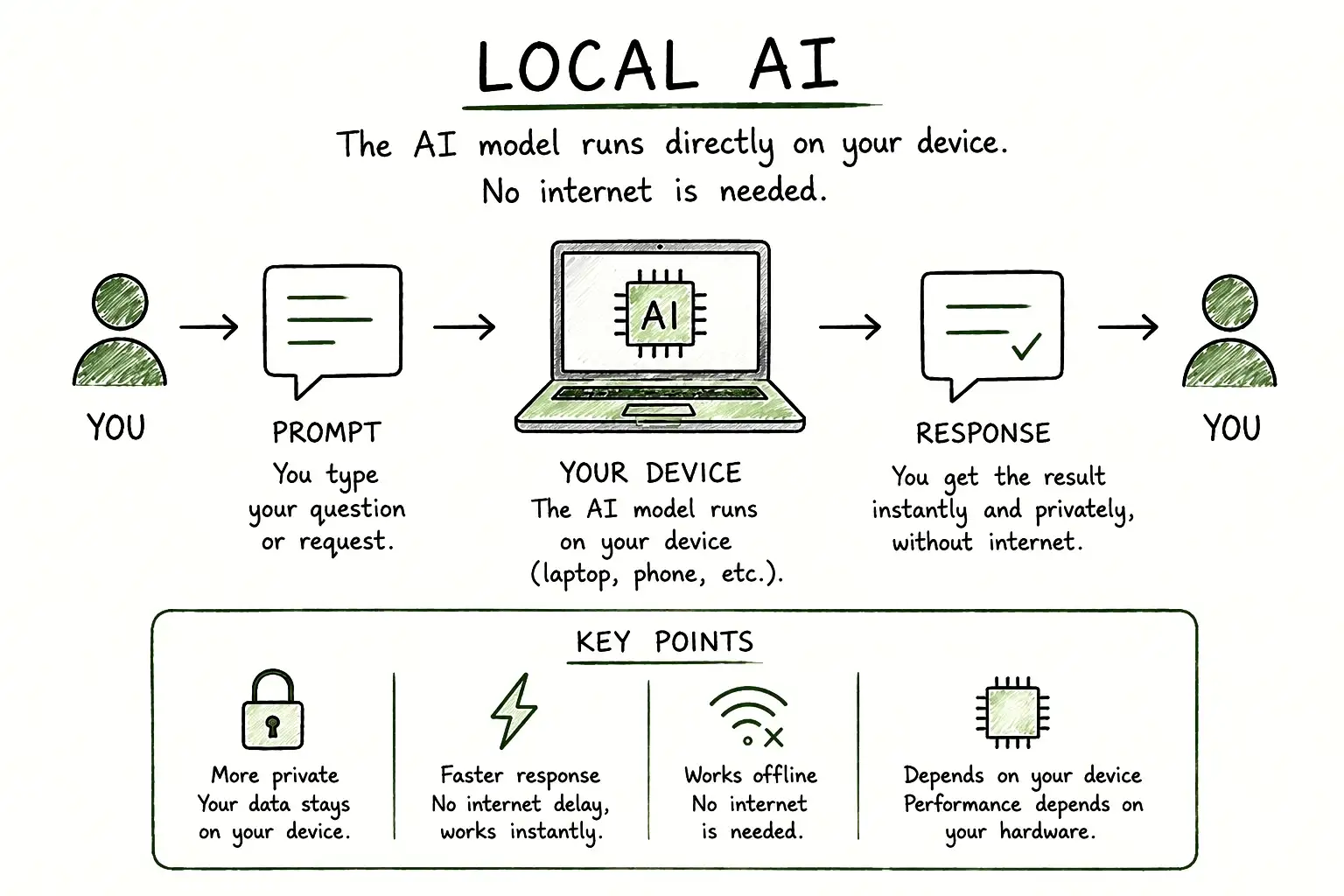
Local AI works differently.
Instead of sending every request to a remote server, the AI model runs directly on your own device. That could be your laptop, desktop PC, smartphone, or even a small AI computer.
The processing happens locally, so your prompts and files don’t always have to leave your device.
This is why local AI is often called on-device AI.
Examples include:
- AI features built into modern smartphones
- AI-powered photo editing that works offline
- Running open-source models like Llama or Mistral on your own PC
The Biggest Difference
Think of it like this.
Cloud AI is like asking an expert sitting in another city. You send your question over the internet, wait for the reply, and get the answer back.
Local AI is like having that expert sitting in your own room. Everything happens right there without sending your request elsewhere.
Both can answer your questions. The difference is where the thinking happens.
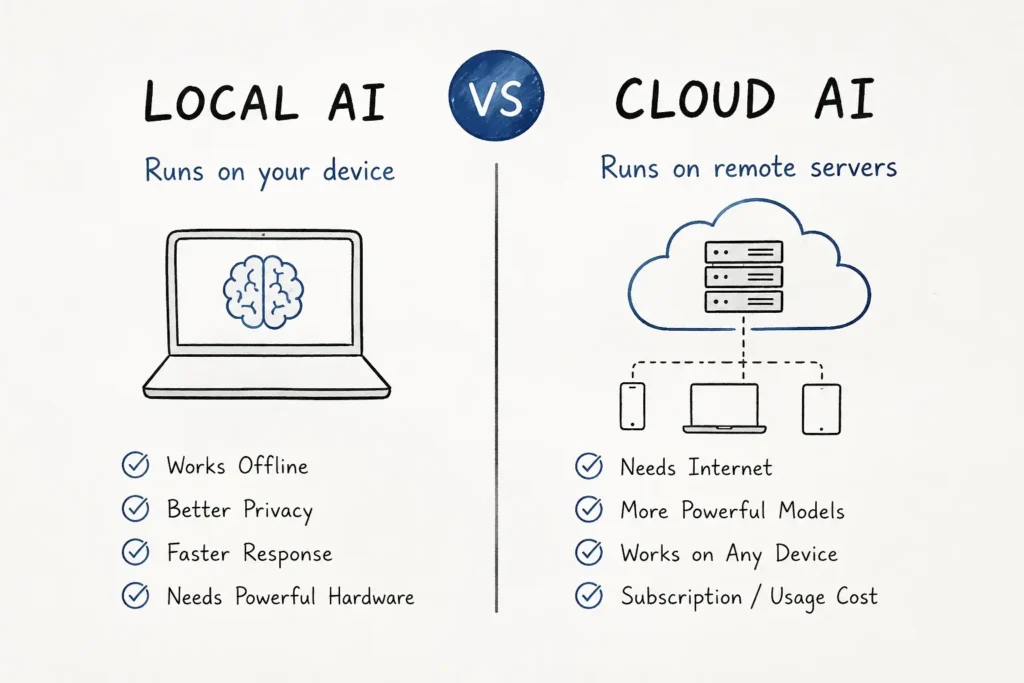
Local AI vs Cloud AI
| Feature | Local AI | Cloud AI |
|---|---|---|
| Internet Needed | Usually No | Yes |
| Privacy | Better | Data is sent to servers |
| Speed | Very fast for supported tasks | Depends on internet speed |
| Hardware | Needs a capable device | Works on almost any device |
| Model Size | Usually smaller | Can use extremely large models |
| Cost | One-time hardware cost | Often subscription based |
Why Is Everyone Talking About Local AI?
There are three main reasons.
1. Better Privacy
If the AI runs on your own device, sensitive files don’t always need to be uploaded to the cloud.
This is useful for businesses, professionals, and anyone working with private information.
2. Faster Responses
Since there is no internet delay, many tasks feel almost instant.
Simple actions like writing suggestions, image editing, voice transcription, or document summarisation can happen in real time.
3. Works Without Internet
Local AI keeps working even when you’re offline.
That’s useful while travelling or in places with poor network coverage.
But Local AI Isn’t Perfect
Running AI on your own device also comes with limits.
Large AI models need a lot of memory and computing power.
If your laptop or phone isn’t powerful enough, performance may be slow or some models may not run at all.
That’s why companies are building smaller AI models that can run efficiently on everyday hardware.
Why Cloud AI Is Still Important
Cloud AI has one big advantage.
It can use enormous AI models running on thousands of powerful GPUs.
That allows cloud services to handle difficult reasoning, coding, large research tasks, image generation, and video creation much better than most local devices.
Cloud AI is also easier for users because there is nothing to install or manage.
Open a website or app, sign in, and start using it.
Which One Should You Choose?
It depends on what you need.
Choose Local AI if you:
- Want better privacy
- Work offline often
- Have a modern AI-capable PC or smartphone
- Don’t want to upload sensitive files
Choose Cloud AI if you:
- Need the most powerful AI models
- Generate images or videos regularly
- Want the latest features without upgrading your hardware
- Don’t mind using an internet connection
For most people today, cloud AI is still the easier choice.
The Future Is Probably Both
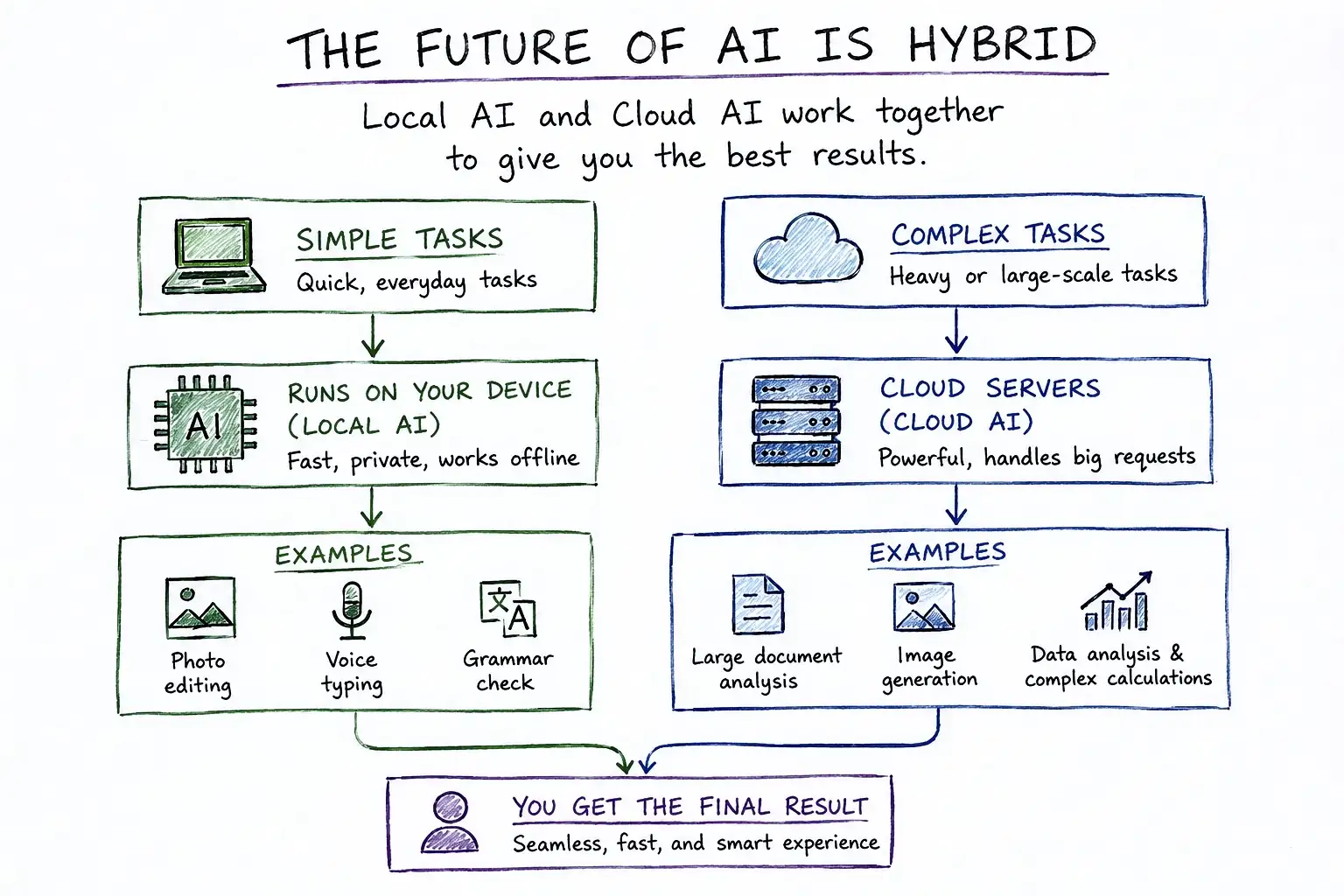
Instead of replacing each other, local AI and cloud AI are starting to work together.
For example, your phone might use local AI to organise photos, transcribe voice recordings, or improve battery life.
But when you ask a complex question or generate a detailed image, it may switch to a cloud AI service.
This hybrid approach gives users the speed and privacy of local AI while still providing the power of cloud AI when needed.
Final Thoughts
Local AI and cloud AI are not competitors. They’re two different ways of delivering the same technology.
Local AI brings speed, privacy, and offline access by running models directly on your device. Cloud AI offers access to much larger and more capable models without needing expensive hardware.
As AI becomes a normal part of our phones, laptops, and apps, you’ll probably use both every day, often without even noticing which one is working behind the scenes.