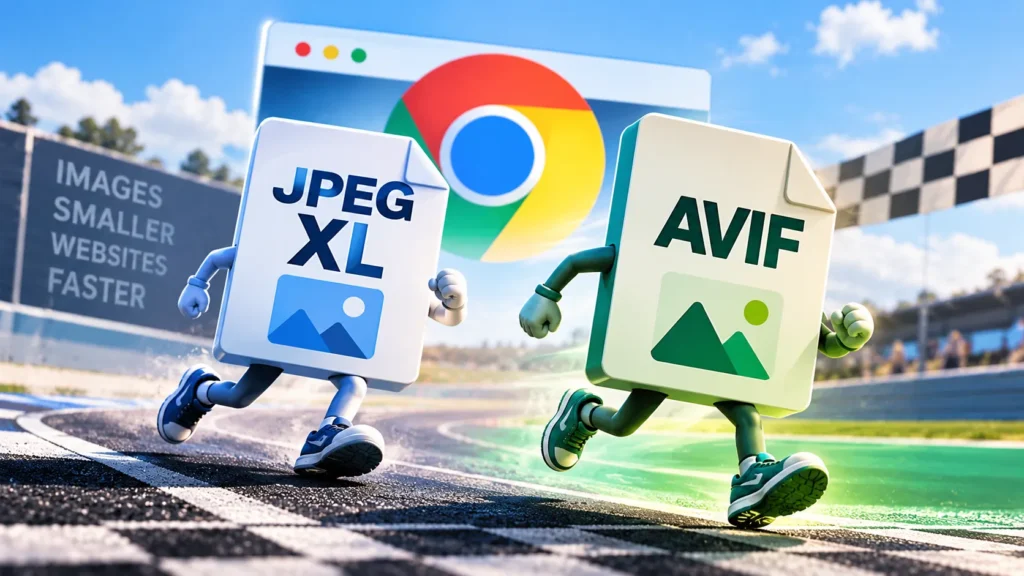
JPEG XL Is Back in Chrome. Does It Beat AVIF for Real Website Images?
Chrome 155 can now open JPEG XL (.jxl) images by default,
reversing Google’s earlier decision not to ship the format. Firefox 158
added support on October 13, and Safari has supported it since version 17.
Edge is less clear: Microsoft’s release notes say JPEG XL works, but a
browser compatibility tracker still lists Edge as unsupported, and one
test found that the images failed to load. So don’t assume it works in
every browser yet.
For site owners, the bigger question is whether JPEG XL makes files smaller than the formats we already use, and whether a normal publishing setup can handle it. Current tests give a mixed answer. AVIF is still the better first choice for most everyday website images. JPEG XL has a few uses where it can do better.
The point: a newer image format is only useful if it gives you a real benefit on the images you publish.
THE CHROME CHANGE
What JPEG XL brings back to Chrome
Google announced the change in its October 6 post on Chrome for Developers. It says JPEG XL can offer 30–50% better compression than ordinary JPEG, along with lossless compression, HDR support and a way to convert existing JPEGs without losing image data.
That 30–50% figure is against JPEG, not AVIF. Being better than old JPEG does not automatically make JPEG XL better than newer formats. Google itself recommends trying both AVIF and JPEG XL to see which works best for a particular image.
Smaller than JPEG
Google’s headline compression claim is a comparison with the older JPEG format, not a win over AVIF.
Lossless storage
It can preserve the image’s pixel data exactly when lossless compression is used.
Recoverable JPEGs
Existing JPEG files can be converted and later restored without another round of image loss.
Why the return happened: Google built a new decoder
called jxl-rs in Rust, a programming language designed to
prevent several common kinds of memory errors. Image decoders handle
files from the internet, including files made to exploit bugs. Google
says automated fuzzing and AI-assisted code review found no
memory-safety bugs during development. That’s Google’s report, not a
guarantee that the code can never have a bug, but it helps explain
the decision.
Browser support, with caveats
Support is no longer limited to one browser, but there are still gaps.
The safest approach is to offer a fallback instead of assuming every
visitor can open a .jxl file.
Safari
Support has been available since version 17 in 2023.
Chrome
JPEG XL decoding is enabled by default in version 155.
Firefox
Version 158 enabled support by default.
Edge
Microsoft’s release notes list support, but a compatibility tracker and an October test disagree. I wouldn’t rely on it yet.
Sources: Firefox 158 release notes, Chrome’s announcement, Edge 155 release notes, and the browser compatibility tracker.
Don’t serve JPEG XL on its own
JPEG XL can show an image progressively in supported browsers, but
behaviour differs across browsers. Older browsers cannot display
.jxl files, so provide AVIF, WebP or JPEG as a fallback.
What independent testing shows
On October 15, Jake Archibald published a detailed comparison of JPEG XL and AVIF. He works on Firefox and tested photos, screenshots, illustrations and images with transparency. He compared files at similar quality using two tools that estimate how much a compressed image differs from the original. He also checked the images by eye, because a score does not always match what looks best.
At default encoder settings, the best JPEG XL file was generally 15–25% larger than AVIF at similar quality. At the highest settings, the gap narrowed to around 6–20%.
File size at similar visual quality
One image is not a universal result. Different pictures and encoder settings can change the order.
AVIF was the smallest in this test. But the result also shows why the encoder matters, not just the format. If you want a simpler explanation of how compression affects the images we upload, read our guide to why uploaded photos can look worse after compression .
Screenshots and illustrations
At default settings, JPEG XL files were 30–90% larger than AVIF in those tests.
Images with transparency
The libjxl versions were 31–44% larger. jixel
could be two to three times AVIF’s size because it keeps transparency
data lossless.
Decode speed
JPEG XL took two to three times as long to decode in some medium-quality tests, usually only a few milliseconds. At very high quality, it was faster than AVIF in some Chrome tests.
There were exceptions. In one photo of a weasel, JPEG XL was 4–11% smaller at default settings. On some very high-quality, high-resolution images, the two formats came much closer. The results are a guide, not a rule for every image on every site.
Don’t trust a single percentage. Archibald also found
cases where jixel scored well on a quality test but looked
worse by eye. A format that wins on a photograph may lose on a
screenshot or illustration. Check the file size and the image itself.
Where JPEG XL does better
JPEG XL doesn’t win every file-size test, but it has a couple of useful features that are easy to miss if we only compare regular photos.
Lossless compression
A lossless image keeps the original pixel data exactly, instead of dropping detail to make the file smaller. In Archibald’s tests, lossless WebP files were 9–17% larger than JPEG XL for photos, while lossless AVIF files were 33–122% larger at default settings.
Converting older JPEGs
You can convert an existing JPEG to JPEG XL without adding another round of image loss, then restore the original JPEG data exactly. In Archibald’s tests, the JPEG XL versions were 9–20% smaller.
If you still have the original source files, making a fresh AVIF or JPEG XL version is usually the better route.
HDR needs more testing
JPEG XL supports HDR images, but the benchmark did not show a clear winner: the two quality tools sometimes disagreed, and browser support for JPEG XL gain maps remains a limitation. It is worth watching for photography, but it is not a strong reason for most websites to switch today.
The WordPress problem
Browser support is only part of the job. WordPress does not currently
allow JPEG XL uploads by default, so dropping a .jxl file
into the Media Library is not a normal built-in workflow.
The older
WordPress core ticket for JPEG XL support
is closed with a maybelater status. WordPress’s
default list of image types
includes AVIF and WebP, but not JPEG XL. A newer
Gutenberg issue
was taken out of the WordPress 7.1 plan in June. On October 20, it was
linked to the WordPress 7.3 tracking issue. That is planned work, not
released support, so site owners cannot rely on normal
.jxl uploads yet.
The available routes are workarounds
Convert on delivery
An image service can convert files when they are delivered to visitors. Cloudinary lists JPEG XL among its supported formats.
Use a custom pipeline
A developer can use an HTML <picture> element to
serve JPEG XL to compatible browsers and fall back to AVIF or WebP
for others.
Don’t rush a small site
Both routes add setup and testing. For a small publisher, the extra work may not be worth it yet.
What this means for website images
For normal featured images, article photos, screenshots and illustrations, the current tests favour AVIF as the first format to try. It usually makes smaller lossy files and generally handles screenshots and transparency better in the benchmark. JPEG XL is worth considering for lossless work and for shrinking older JPEG archives without losing image data.
Try AVIF first
It is a sensible starting point for everyday web photos and graphics, but compare files at similar visual quality.
Use JPEG XL where it helps
Lossless storage and reversible conversion of older JPEGs are its clearest advantages.
Don’t switch everything yet
Native upload support is limited, and the benchmark does not show JPEG XL winning across all image types.
That does not mean AVIF will win on every image. Test a few real examples from your own site. Keep the dimensions and visual quality similar, compare file sizes, and then look closely at the results. Don’t pick a format just because one test gives it a higher score or a smaller file.
There is no good reason to move the whole image library to JPEG XL right now. WordPress support is not ready for a simple workflow, and the independent results do not show it beating AVIF across the board. It makes more sense to keep using formats the site already handles and test JPEG XL when there is a clear reason.
The useful question is whether JPEG XL makes the images we actually publish smaller without making them look worse, and whether our tools can serve those files reliably. Right now, the answer depends on the image and the setup.
More on website performance